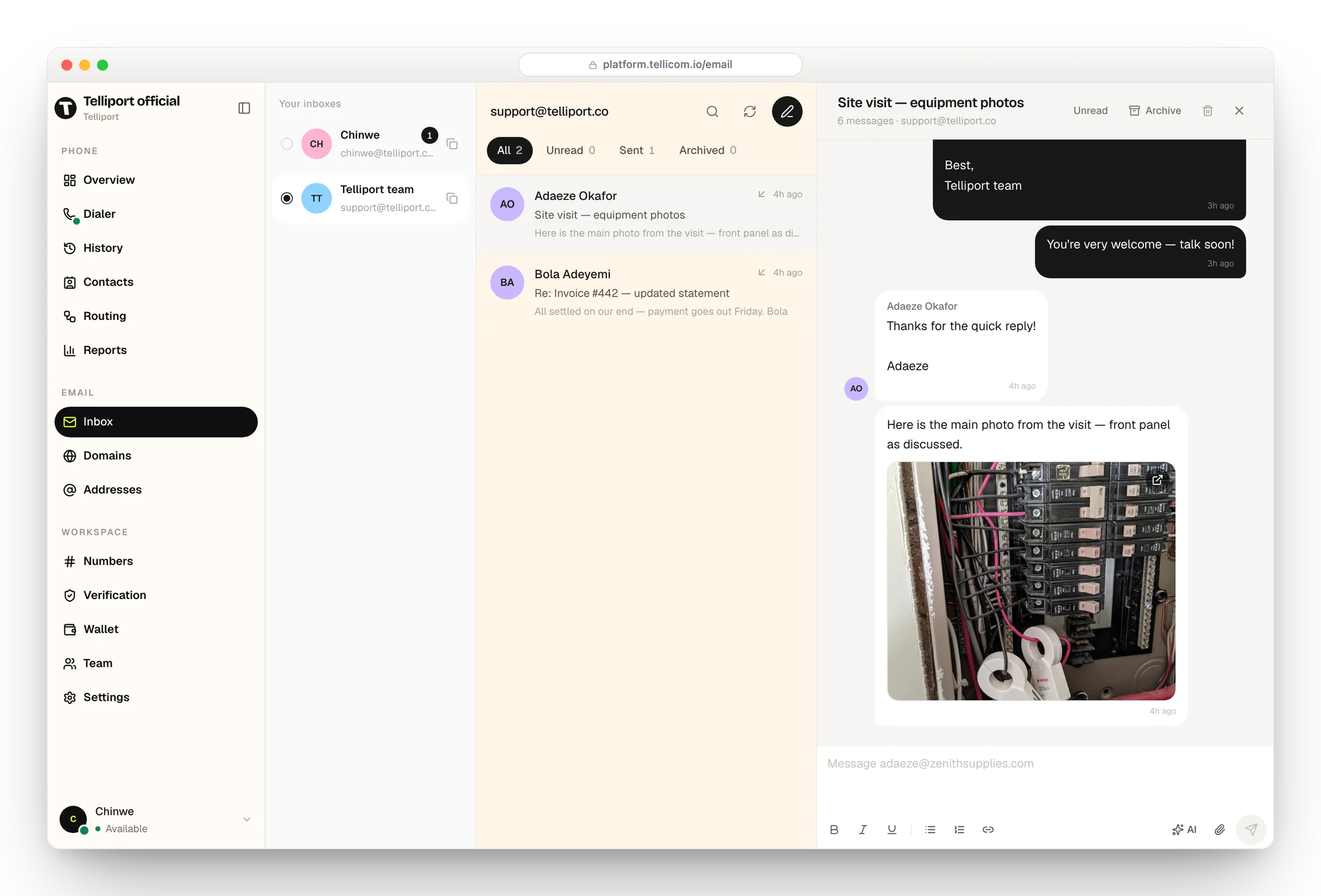
Tellicom gives every teammate their own address on your domain and gives the team one shared inbox for support@ or sales@. Every message in one place — and nothing disappears when someone leaves.
Runs in the browser. No migration project, nothing for your customers to install.
Email that belongs to the business, not to one person's phone
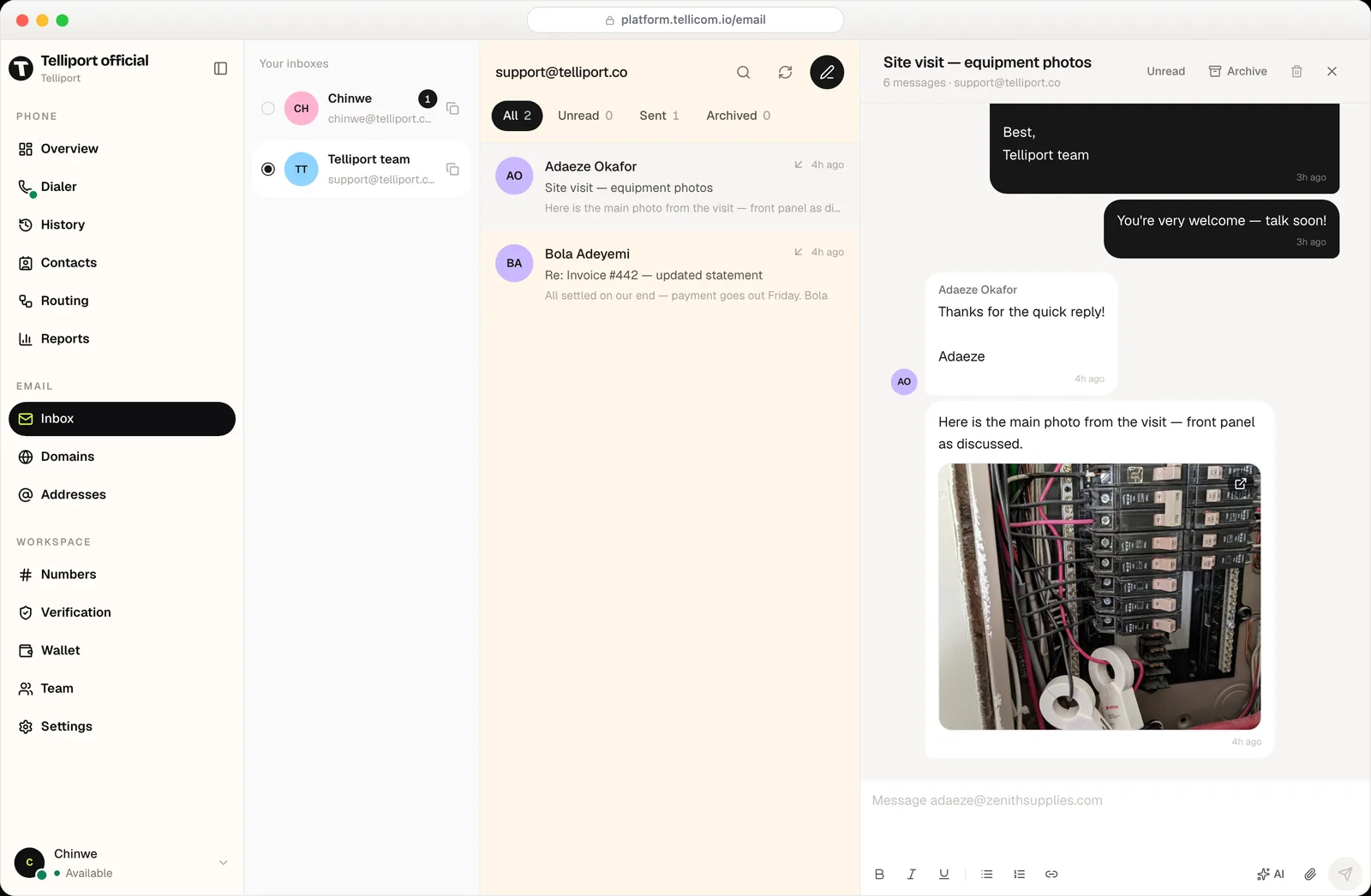
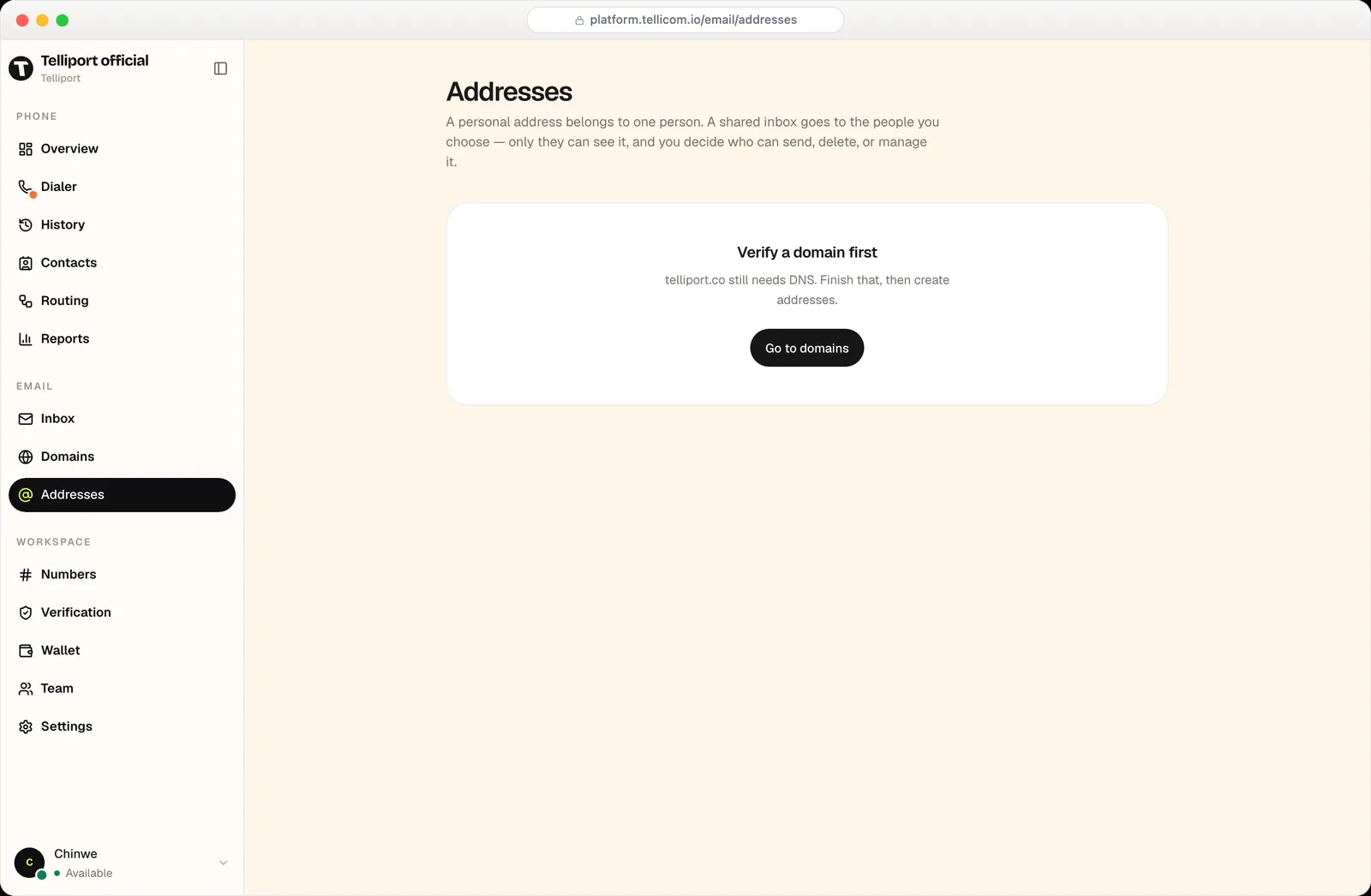
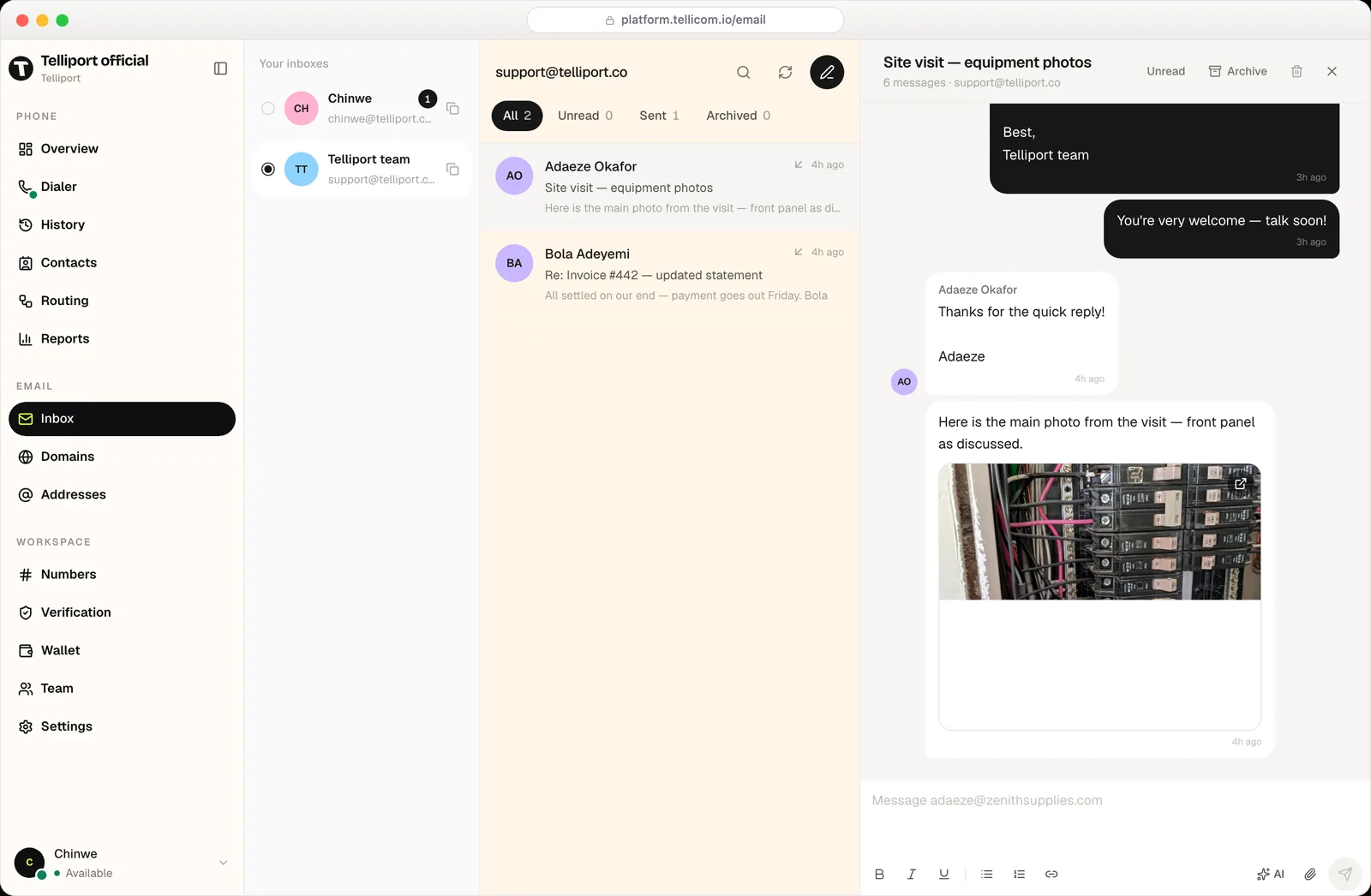
Add your domain, publish the DNS records we give you, and send and receive as support@, sales@ or anything else you need. Everyone works the same thread — no forwarding, no screenshots in WhatsApp.
- Shared and personal inboxes side by side
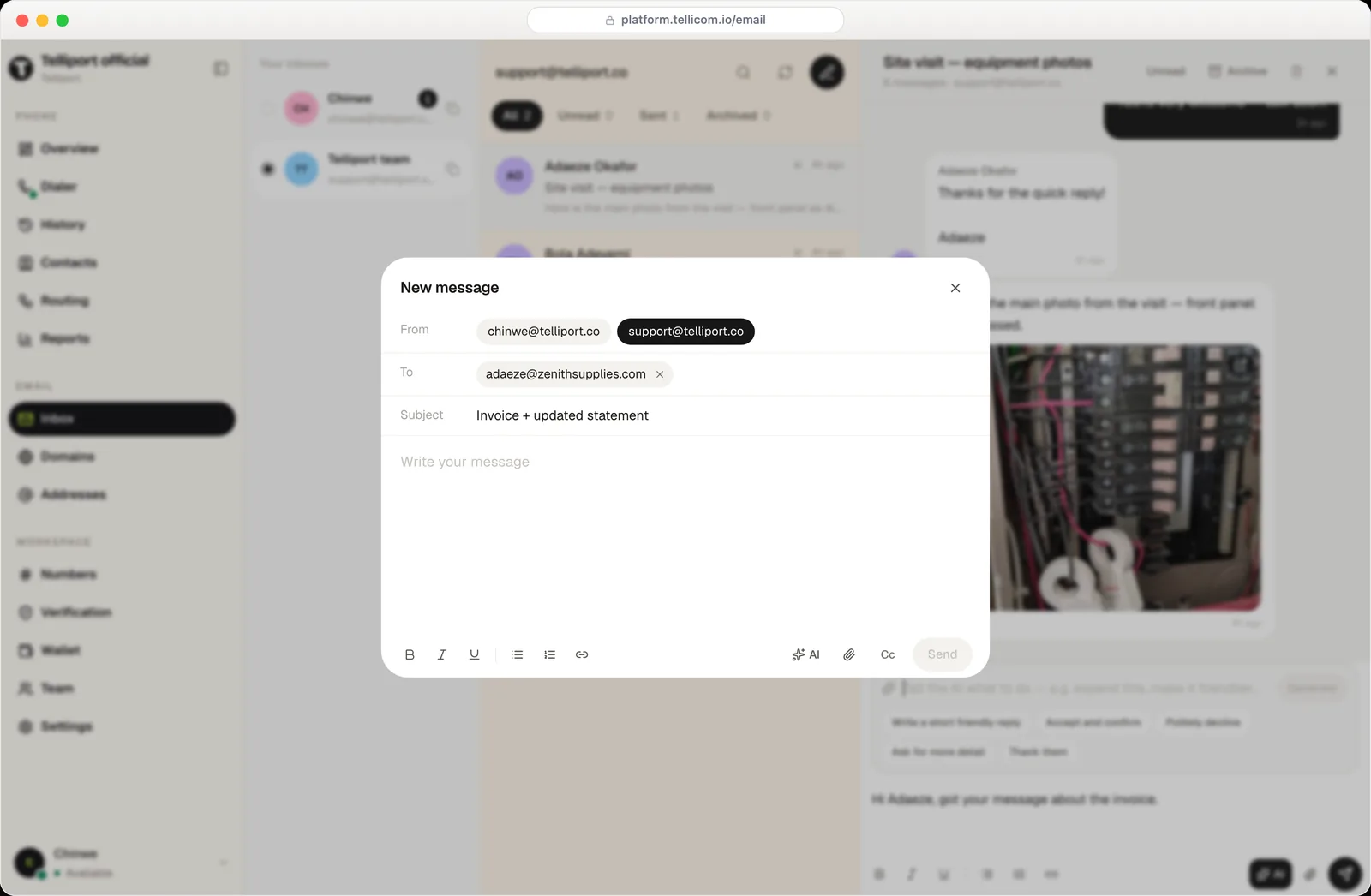
- Send as any verified address on your domain
- Attachments and photos from the field
- AI drafting, rewriting and thread summaries
A reply in seconds that still sounds like you
Ask the assistant to draft, shorten, expand or summarise — it works inside the thread, with the conversation above it as context, and drops the result into the composer for you to edit.
Draft from nothing
Open a customer email and ask for a first reply. You edit, you send.
Rewrite what you wrote
Make it shorter, warmer or more formal without starting again.
Summarise a long thread
Hand a 40-message conversation to a colleague in four lines.
Move your email over without going dark
Keep the address your customers already write to.
Keep the domain you own
Point your MX records at us and inbound mail starts landing in the shared inbox the same day.
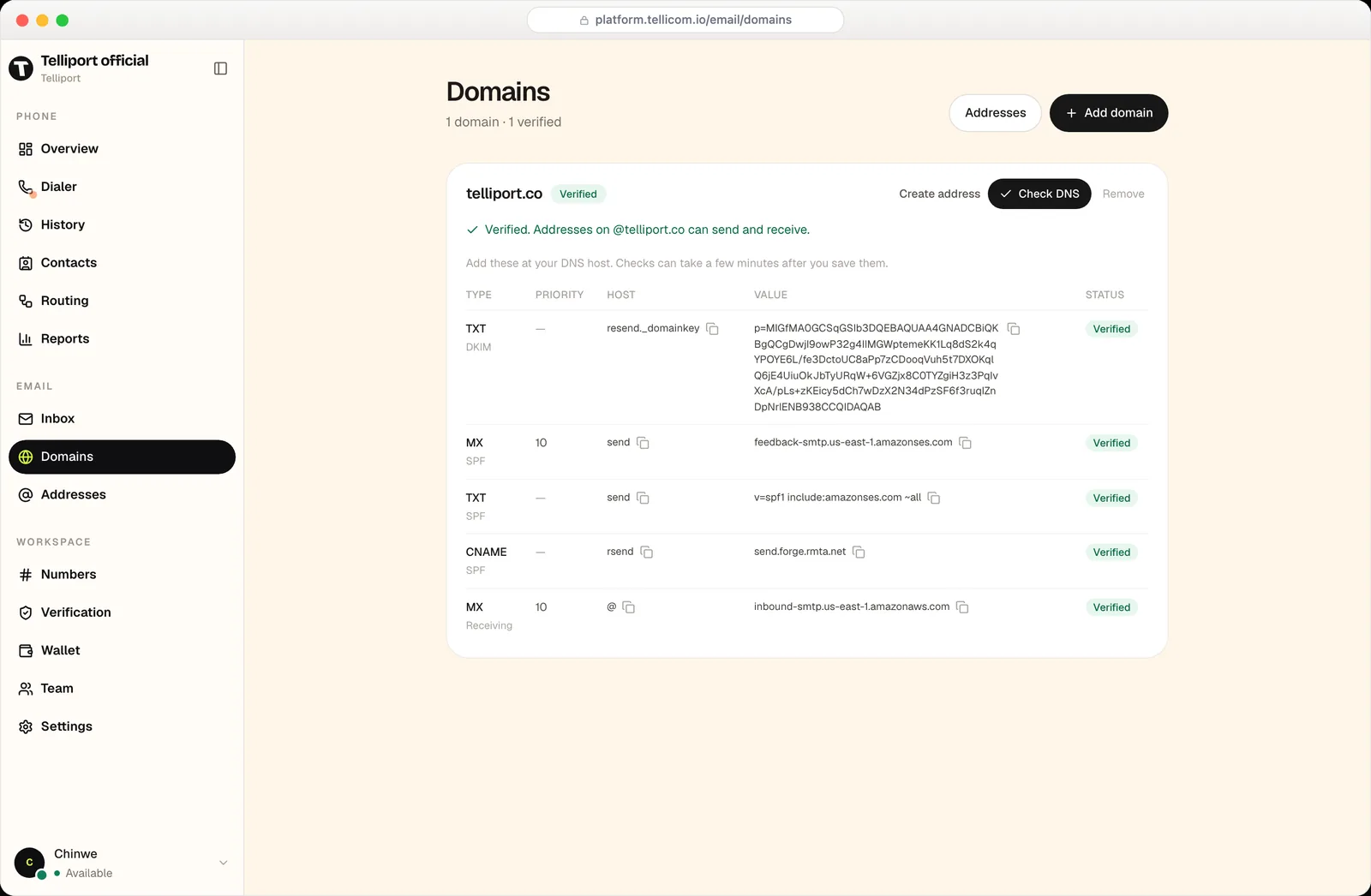
Guided domain setup
We hand you the exact DNS records and check them for you until every one goes green.
Nothing to roll out
It runs in the browser. No desktop client to install, no migration project, no downtime window.
Built for the way teams actually answer email
Everything in the workspace
- Your own domain
- DKIM, SPF and receiving records, checked for you until they verify.
- Shared inboxes
- support@ or sales@ that the whole team opens, not one person.
- Personal inboxes
- Each teammate also gets their own address on the domain.
- Address lifecycle
- Add and retire addresses as people join and leave — archives stay with the business.
- AI assistant
- Draft a reply, expand it, shorten it, or summarise a long thread.
- Attachments
- Send and receive photos and documents, viewable in the thread.
Workspace
- Team
- Invite teammates, then choose who can see, send, delete or manage each inbox.
- Permissions
- See, send, delete and manage are granted per inbox, per person.
- Sign-in email
- A teammate can sign in with their new company address instead of the old one.
- Roles
- Admins manage domains, addresses and who can see what.
Live in an afternoon
No engineer, no installer, no site visit. Four steps and your line is answering.
- 01
Create your workspace
Sign up with your business name — you're in the dashboard in a minute.
- 02
Connect your domain
Add the domain, publish the DNS records we generate, and watch them verify.
- 03
Create addresses
Give every teammate their own address, and set up support@ or sales@ as a shared inbox.
- 04
Start sending
Send and receive from the browser, with every thread kept inside the business.
Questions, answered
Anything else, write to hello@telliport.co.
Do I need my own domain?+
Yes — that's the point. You add a domain you control, we give you the exact DNS records, and you paste them at your DNS host. We keep checking until every one verifies.
Can I keep the addresses my customers already use?+
Yes. Point your domain's mail records at Tellicom and inbound mail starts landing in the shared inbox. Your customers keep writing to the same addresses.
What happens to a mailbox when someone leaves?+
The address belongs to the business, not the person. An admin can keep, reassign or retire it, and the threads stay in the workspace.
Can two people answer the same inbox?+
Yes. Shared inboxes are the point: support@ or sales@ is opened by the whole team, and each person's rights (see, send, delete, manage) are set individually.
Do my customers need an app?+
No. They email your address the way they always have. Only your team signs in, and there's nothing for them to install either.
Where does my email live?+
Inside your workspace, readable only by the people you've given access to. Nothing is forwarded to a personal mailbox unless you set it up that way.